Who can use it
Choose who can connect your app to their AI assistant: anyone with an account, only your paying customers, or anyone, with some actions kept for paying customers. Keeping AI access for paying customers gives your users one more reason to upgrade. It’s on Launch, Growth, Scale and Enterprise.
The choices
| Choice | Who can connect | What they can do |
|---|---|---|
| Anyone with an account (default) | Everyone who can log in to your app | Every action you’ve switched on |
| Only paying customers | Only users on a plan you name | Every action you’ve switched on |
| Anyone, but some actions are for paying customers | Everyone who can log in | The actions you pick need a paid plan; the rest are for everyone |
Set it on the Login step of your dashboard, once your login provider is confirmed, then publish. You can change it at any time on the same step. If you rename or remove an action you kept for paying customers, publishing waits until you pick the paid actions again, so a renamed action never becomes free by accident.
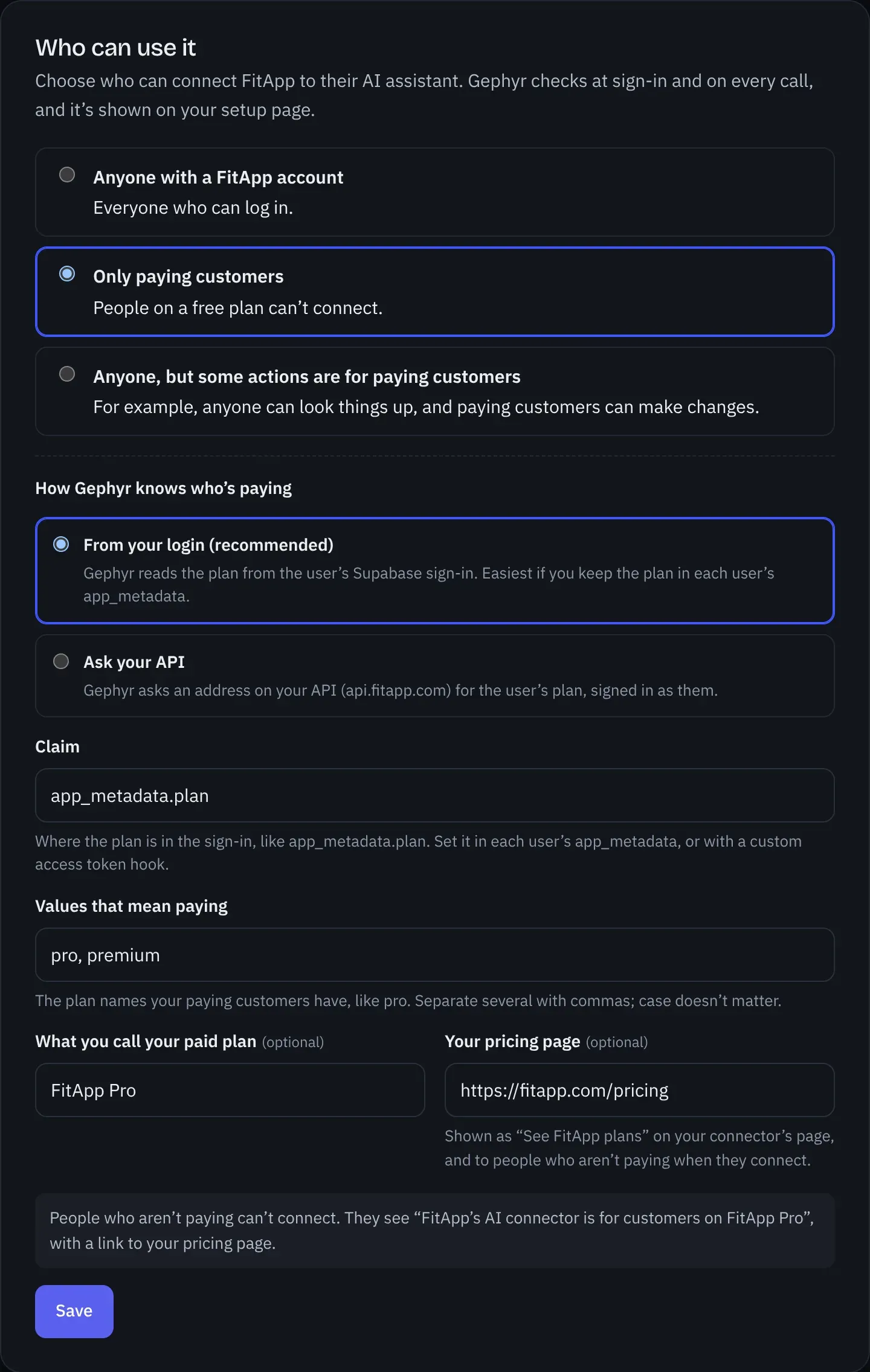
How Gephyr knows who’s paying
You tell Gephyr where your app keeps each user’s plan, and which values mean paying (for example pro, premium). Gephyr compares them without case; if the plan is a list, any one of them counts.
-
From your login (Firebase and Supabase; recommended there). Gephyr reads one claim from the user’s own sign-in token:
- Supabase: a value in the access token, such as
app_metadata.plan. Set it in each user’sapp_metadata, or with a custom access token hook. - Firebase: a custom claim on the ID token, such as
plan, set with the Admin SDK’ssetCustomUserClaims.
Tokens refresh about every hour, so a plan change takes effect within the hour. Gephyr won’t use a claim your users can change themselves (Supabase’s
user_metadata, email or phone; Firebase’s name, photo, email or phone), because anyone could set it to “pro”. - Supabase: a value in the access token, such as
-
Ask your API (any login). Gephyr calls an address on your API, such as
GET https://api.yourapp.com/v1/me, with the user’s own token. Pick it from the list of your API’s addresses that need only the signed-in user, or type another. Gephyr then reads the plan at a path you give, such as/planor/subscription/status. The address must be on your API’s own hosts. Gephyr remembers each user’s answer for up to 5 minutes. A403means not paying; any other error means Gephyr can’t tell, so nothing is done and the user is asked to try again.
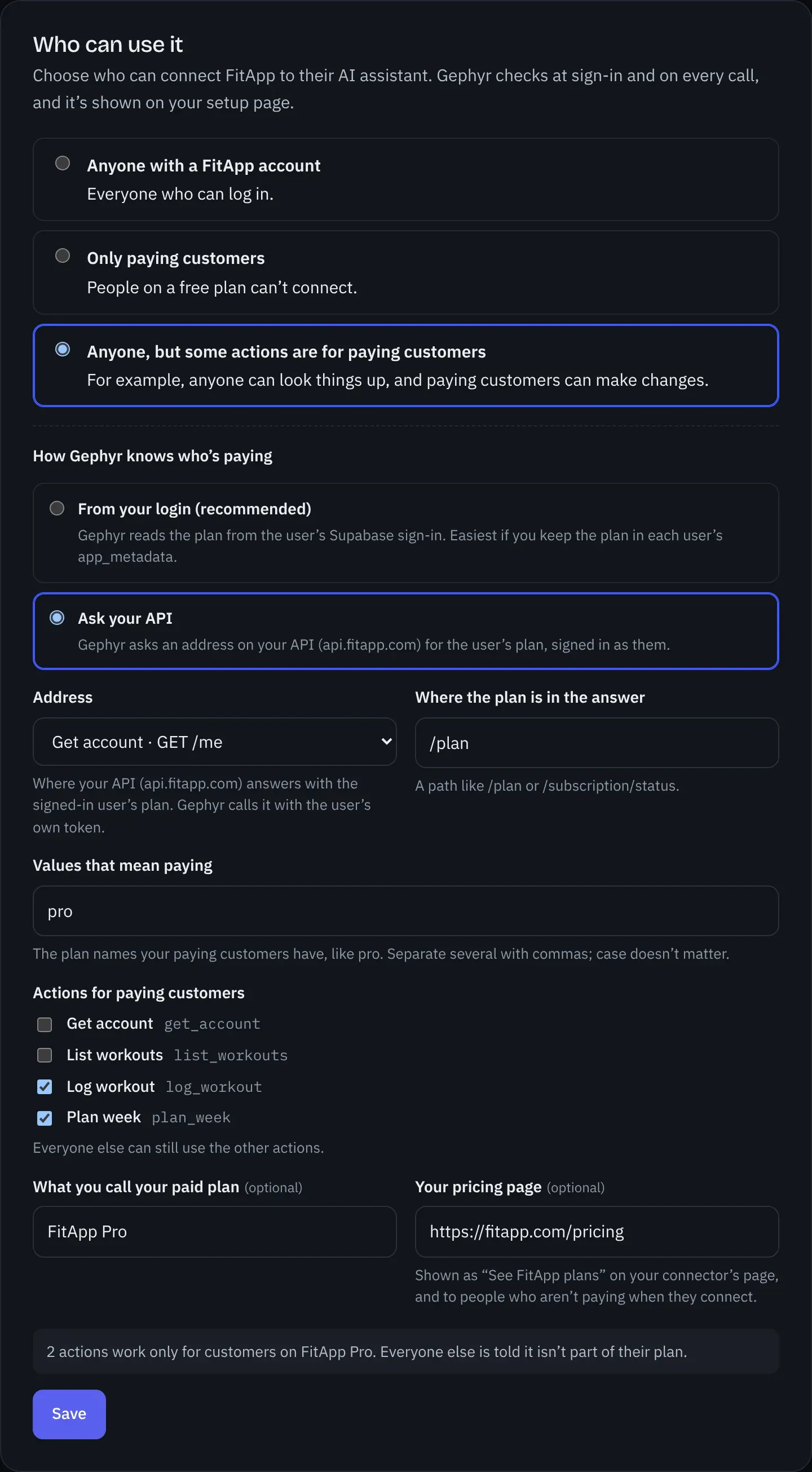
If Gephyr can’t read a user’s plan, it treats them as not paying. Nothing is done for them, and nothing is billed.
What your users see
-
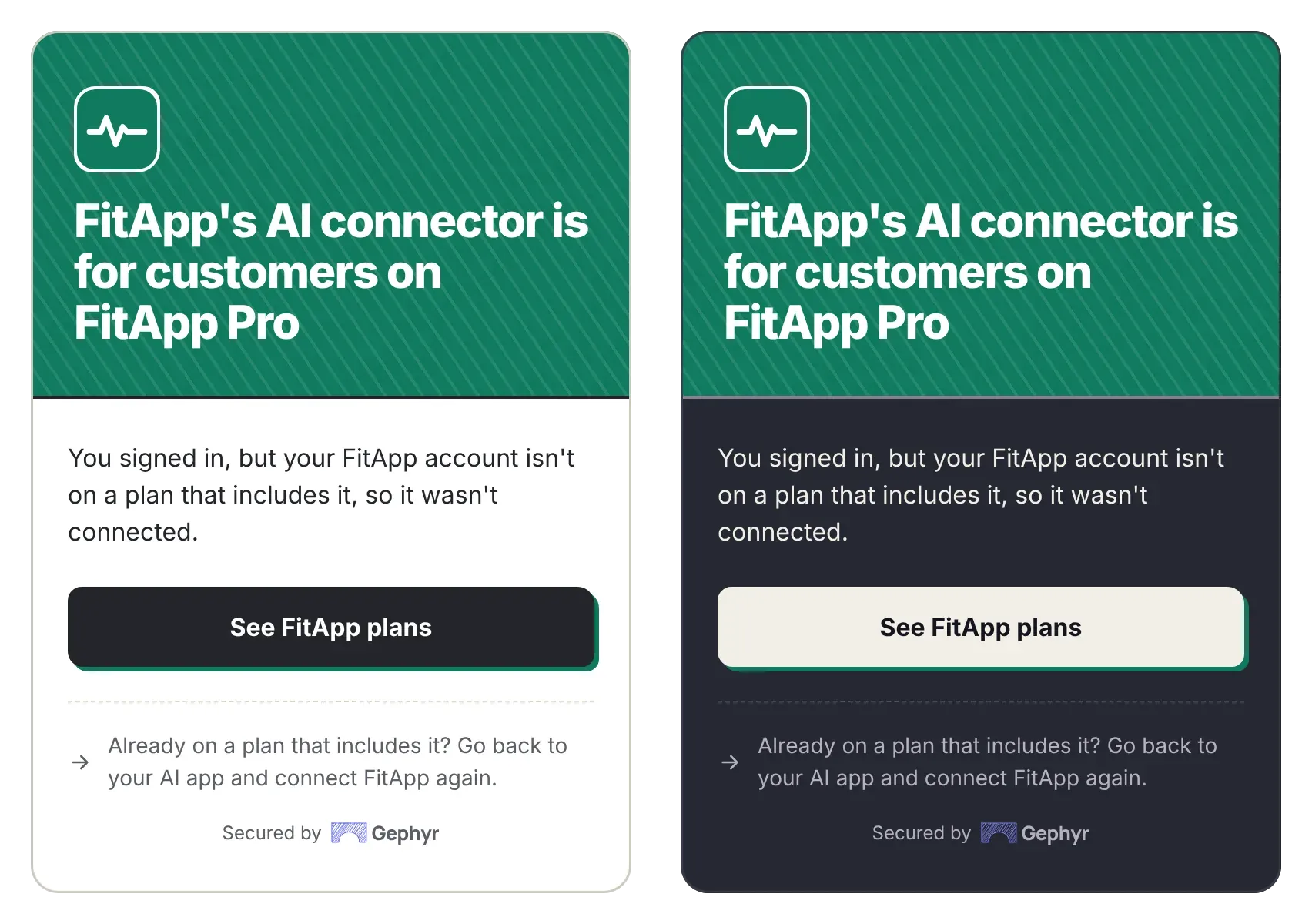
Only paying customers: someone who signs in without a paid plan isn’t connected. They see a page saying “YourApp’s AI connector is for customers on YourApp Pro”, with a See YourApp plans button if you gave your pricing page.
-
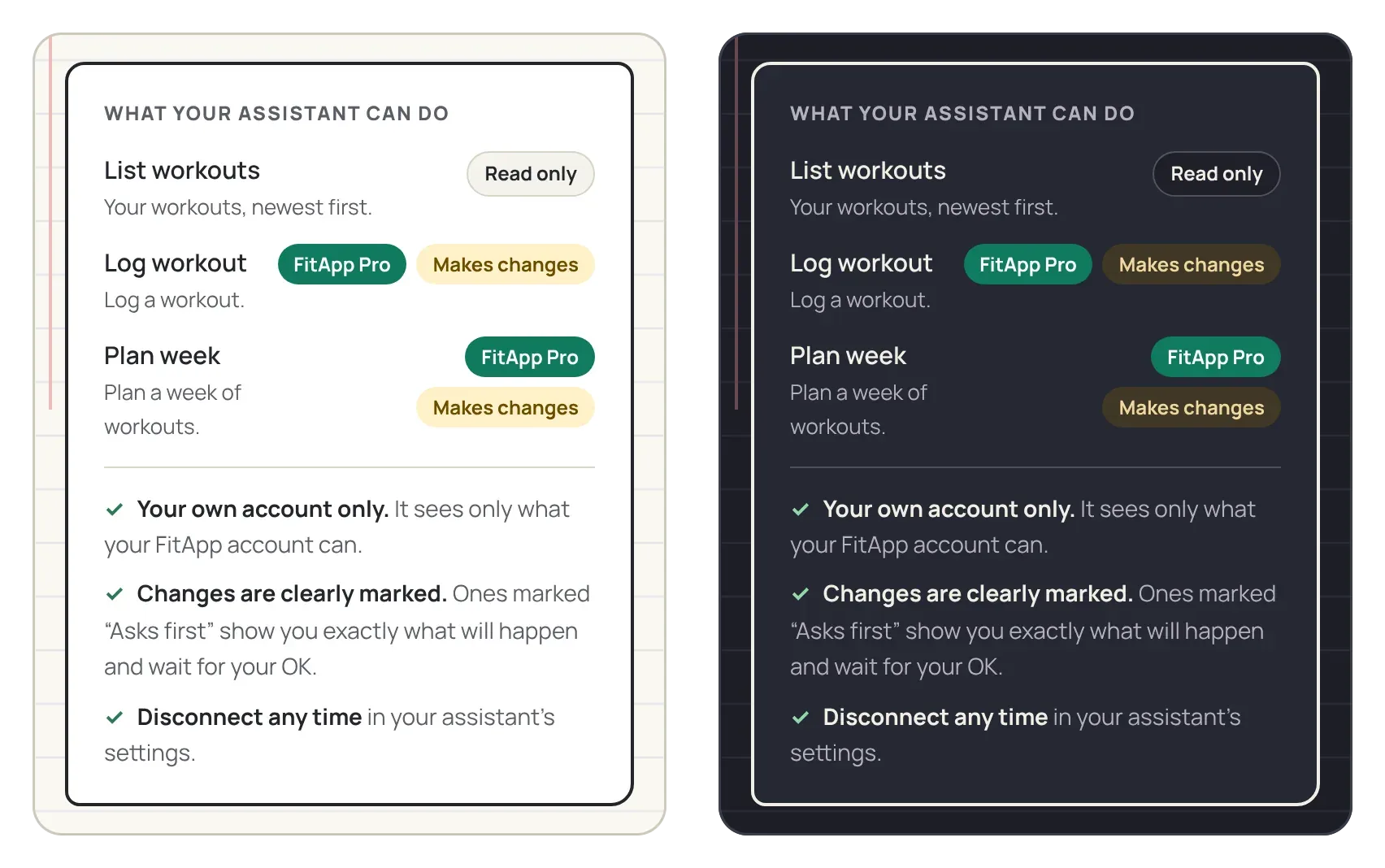
Some actions for paying customers: those actions are marked with your plan’s name on your setup page and on the page where users approve the connection. If someone without a paid plan asks for one, the agent tells them it isn’t part of their current plan.
-
Your pricing link stays on your pages. People see See YourApp plans on your setup page and on the page above. Agents never pitch an upgrade in the chat; ChatGPT’s rules don’t allow it.
-
Your setup page says who it’s for, so people know before they connect.
Try it yourself
- Publish, then connect your app in your own AI assistant with an account that isn’t on a paid plan. With Only paying customers, you see the page above; with some actions for paying customers, ask for one of them and the agent says it isn’t part of your plan.
- Give your own account the plan.
-
Supabase: set it in the user’s
app_metadata, in the SQL editor:update auth.users set raw_app_meta_data = raw_app_meta_data || '{"plan":"pro"}' where email = 'you@yourapp.com';or from your server with
supabase.auth.admin.updateUserById(id, { app_metadata: { plan: 'pro' } }). -
Firebase: from your server, with the Admin SDK.
setCustomUserClaimsreplaces all of a user’s custom claims, so keep the ones they already have (like an admin role):const user = await admin.auth().getUser(uid); await admin.auth().setCustomUserClaims(uid, { ...user.customClaims, plan: 'pro' }); -
Your API: whatever makes your plan address answer
profor your account.
-
- Disconnect and connect again, so your sign-in carries the new plan, and try the same request. (Without reconnecting, it takes effect when the sign-in refreshes, within the hour.)
Checked every time
Gephyr checks at sign-in (for “Only paying customers”) and again on every call, so access stops when a plan ends. Calls it turns away never reach your API, are never billed, and show on your dashboard as For paying customers only.
Something missing or wrong? Email hello@gephyr.ai.